Prepare your data
Choose the contract, timeframe, session timezone, and date range for your test. Decide how you’ll handle contract rolls if the history spans more than one expiry. Set aside a later period for evaluation before you begin adjusting the strategy.
Lightwick uses completed bars containing open, high, low, close, and volume data. If you’re using an agent, ask it to list the captured series and check the date coverage and gaps. Check whether gaps are expected market closures or missing data.
Keep Lightwick open and connected when requesting more history. The MCP data reference explains how the app captures and shares bars with your agent.
Set contract values and trading costs
Set the contract’s point value, tick size, and quantity. Check the exchange specification, especially when switching between a micro contract and its larger equivalent.
Example: one ES contract
E-mini S&P 500 futures have a $50 point value and a 0.25-point tick worth $12.50. A one-point favorable move on one contract earns $50 before costs.
With an example round-trip commission of $5 and one tick of adverse slippage at both entry and exit, the net result is $50 − $5 − $25 = $20. Use your own commission and slippage assumptions in an actual test.
For ES, set pointValue: 50 and tickSize: 0.25. Check whether commissions are entered per side or round trip, and how the engine applies slippage. Try higher costs as well to see how much they change the result. Check CME’s ES specifications.
Run and review a backtest
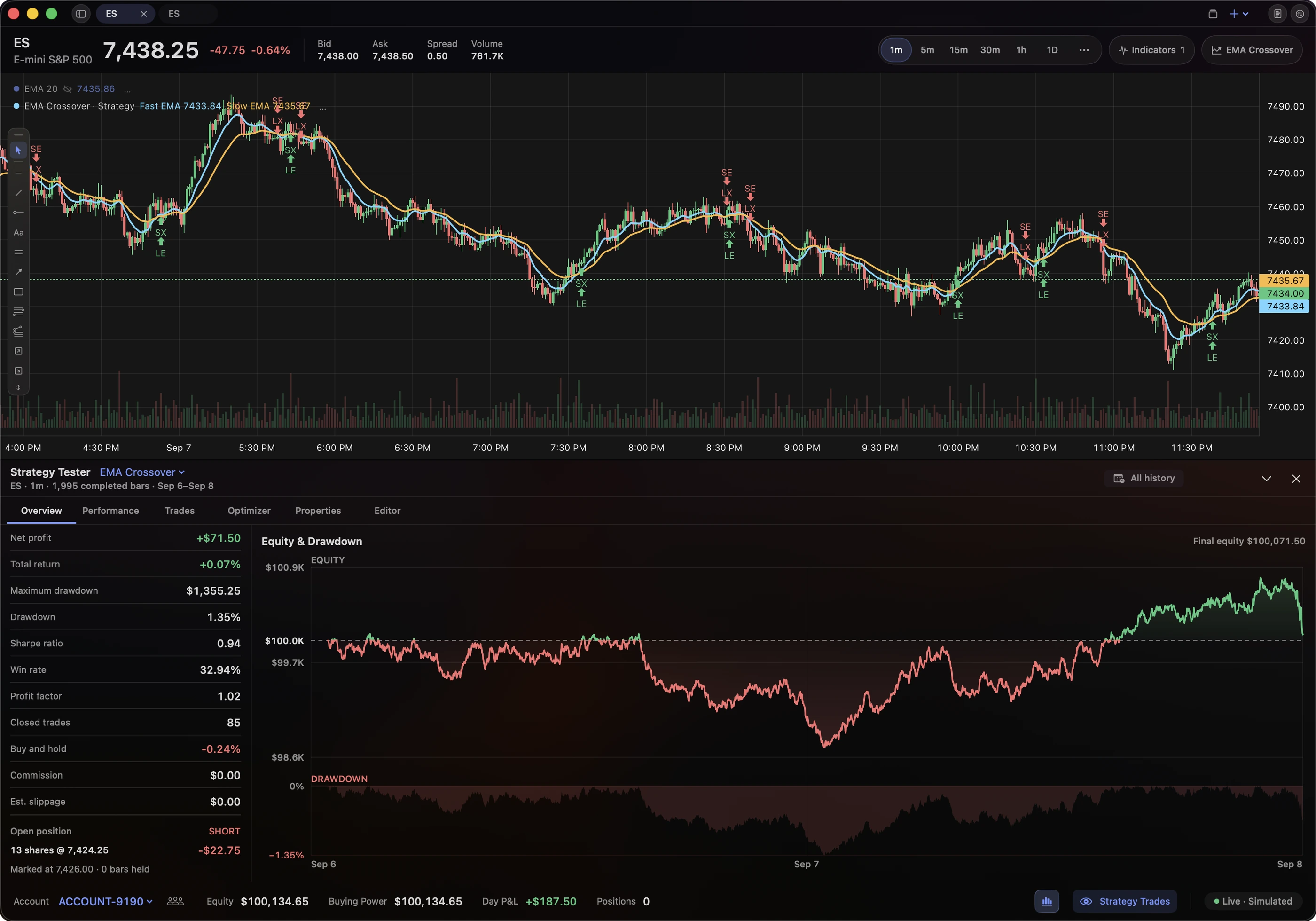
- Write down the rules. Define entries, exits, position sizing, and risk limits. Save the strategy source and input values so you can repeat the test.
- Check the signals. Review a few entries and exits against the chart. An agent can use
evaluateto inspect signals and explain warnings before running the test. - Run the first test. Lightwick simulates next-bar fills with your contract values, costs, slippage, and risk exits. Look through individual trades as well as the performance summary.
- Compare with unused data. The optimizer holds back 30% of the data by default and checks nearby parameter settings. If you keep changing the strategy after seeing those results, use a fresh period for the next evaluation.
- Start a forward test. Save the strategy and settings before new bars arrive. Lightwick’s forward-test tool records this starting point so you can compare later results with the original idea.
Review trade count, drawdown, and the spread of gains and losses, as well as net profit. Check whether most of the return came from just a few trades.
To connect an agent, follow the MCP setup guide. Backtesting and optimization require Lightwick Pro. Trader and Pro features are free during beta. No credit card required.
Understand the limits
Order-flow data
Lightwick Script receives OHLCV bars, without historical bid volume, ask volume, or delta. Strategies based on the DOM or footprint need data the bar-based tester does not currently provide.
Simulated fills
Bars don’t show the full sequence of price changes within each interval or your place in the order queue. Read the risk-exit rules to understand how the engine handles a bar that reaches more than one exit level.
Live trading
The MCP tools are for research. They cannot place orders, access broker credentials, or activate a strategy for live trading. Forward tests observe a saved strategy as new data arrives.
Keep your settings, data coverage, app version, and results together. Simulated performance does not guarantee future results.
Further reading
Try Lightwick on your Mac.
Try Lightwick free during beta. No credit card required.
Join the free beta